

If you’re searching for real money earning apps in India, here’s the straight answer: yes, you can earn. No, it won’t make you rich overnight. Pick the right app, follow a clean setup (KYC, payout method), and focus on tasks you can actually deliver—then the money follows. Below is a clear, step-by-step guide you can use today.
What this guide covers (and why it matters)
- A quick comparison table of 10 trusted apps
- Exactly how to sign up and log in to each app
- How each app pays (UPI/Paytm/Bank/PayPal)
- Safety checks so you don’t get burned
- FAQs and pro tips to increase earnings
Top 10 Real Money Earning Apps in India (Quick Comparison)
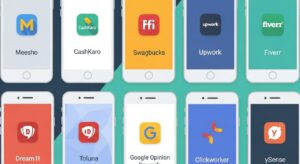
| App | What You Do | Payout Options | Time to First Payout | KYC Needed? | Best For |
| Meesho | Resell products | Bank transfer | 7–14 days (after orders) | Yes | Students, homemakers |
| CashKaro | Cashback + affiliate | Bank/UPI | 45–90 days (post-confirmation) | Yes | Online shoppears, deal hunters |
| Upwork | Freelance gigs | Bank/Wire/PayPal | Depends on first client | Yes | Designers, writers, devs |
| Fiverr | Freelance gigs | Bank/PayPal/Payoneer | ~14 days after order completion | Yes | Creators, marketers |
| Clickworker | Microtasks (AI data, writing) | PayPal/SEPA | 7–14 days | Basic | Part-time taskers |
| Swagbucks | Surveys, offers, gift cards | PayPal/gifts | 7–14 days | Basic | Light daily earners |
| Toluna Influencers | Surveys | PayPal/gifts | 7–21 days | Basic | Survey lovers |
| Google Opinion Rewards | Short surveys | Google Play credit | Instant (credits) | No | App buyers (Play credit) |
| ySense | Surveys/tasks | PayPal/Skrill | 7–14 days | Basic | Consistent survey-takers |
| Dream11 (Skill Gaming) | Fantasy sports | Bank/UPI | KYC + winnings | Full KYC | Sports fans (check state laws) |
Note: Processing windows vary by merchant approvals and anti-fraud checks. Always keep IDs handy for KYC.
How to choose the right app (quick checklist)
- Match your skills: writing/design → freelancing; quick taps → surveys/microtasks; social selling → reselling.
- Confirm payouts: UPI/Paytm/Bank or PayPal (for global sites).
- Read recent reviews: payment reliability and support speed.
- Never pay to earn: if an app asks for “security fee” to unlock earnings, walk away.
- Do KYC early: it prevents payout delays.
The Step-by-Step Setup for Each App
1) Meesho (Reselling)
How you earn: Share product links → customer orders → you set your margin → Meesho pays the margin to your bank.
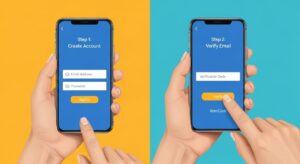
Sign-up & Login
- Install Meesho from Google Play/App Store.
- Open → enter mobile number → OTP verify.
- Fill your name, email; allow basic permissions.
- Go to Account → Bank Details/KYC → add PAN, bank account, and address.
- Set your UPI or bank for payouts.
Pro tips
- Start with categories you understand (sarees, kitchen, beauty).
- Use WhatsApp Catalogs and Instagram reels to drive orders.
- Keep margins realistic; volume wins early on.
2) CashKaro (Cashback + Affiliate)
How you earn: Click through CashKaro to partner stores → shop or share affiliate links → earn cashback/commission.
Sign-up & Login
- Install CashKaro and open.
- Sign up with mobile/email → OTP verify.
- Complete Profile → KYC/Bank (PAN + account/UPI).
- Browse offers → tap Activate/Visit Retailer → shop normally.
- Track My Earnings; request payout after confirmation window.
Pro tips
- Share your CashKaro link in WhatsApp groups/Telegram.
- Focus on high-ticket events (Big Billion Day, Great Indian Festival).
- Keep screenshots of large orders for tracking support.
3) Upwork (Freelancing)
How you earn: Get hired for projects (writing, design, coding, marketing). Higher skill → higher rate.
Sign-up & Login
- Go to Upwork app or website. Sign Up → I’m a Freelancer.
- Use email/Google; verify email.
- Build a tight profile: title (“Social Media Designer for D2C”), skills, portfolio, hourly/rate.
- Add ID documents for Identity Verification (PAN/Aadhaar as needed).
- Connect payout: Direct to Local Bank/PayPal/Payoneer.
- Start applying with short, specific proposals (1–2 paragraphs, 1 portfolio link, 1 result).
Pro tips
- Niche down: “Shopify product photos + ads creatives” beats “graphic designer.”
- Deliver early drafts fast; request reviews.
4) Fiverr (Freelancing)
How you earn: Create “gigs” (fixed-price services). Clients order; you deliver.
Sign-up & Login
- Install Fiverr → Join with email/Google.
- Verify email and mobile.
- Switch to Selling → create your first Gig.
- Write a crisp title (“Instagram Reel Editing in 24 Hours”), set packages (Basic/Standard/Premium).
- Add 3 portfolio images or a 30-sec intro video.
- Set payout: PayPal/Payoneer/Bank (via Payoneer).
- Turn on Availability and respond to messages fast.
Pro tips
- Add FAQs inside each gig to reduce buyer questions.
- Use buyer-requested keywords in gig title and tags.
5) Clickworker (Microtasks)
How you earn: Short tasks—AI data labeling, web research, writing.
Sign-up & Login
- Install Clickworker or visit site.
- Sign Up with email; confirm via email link.
- Complete your profile + language skills.
- Take brief assessments (writing/English) to unlock better tasks.
- Link PayPal (and verify) for payouts.
- Open Jobs; accept tasks; submit carefully.
Pro tips
- Accuracy matters; low error rate unlocks higher-pay tasks.
- Do tasks on Wi-Fi to prevent submission drops.
6) Swagbucks (Surveys & Offers)
How you earn: Complete surveys, watch videos, install apps; get SB points → redeem to PayPal/gift cards.
Sign-up & Login
- Install Swagbucks.
- Sign up with email; verify email.
- Complete Profile Surveys to unlock higher-match surveys.
- Check Answer → Surveys first (best ROI).
- Link PayPal for cashout.
Pro tips
- Skip surveys with poor time-to-reward ratios.
- Keep your demographic answers consistent.
7) Toluna Influencers (Surveys)
How you earn: Brand surveys; redeem points for PayPal/gifts.
Sign-up & Login
- Install Toluna Influencers.
- Register with email/Google; verify account.
- Complete Profile Centers for better matches.
- Check Surveys; aim for 10–20 min surveys with decent points.
- Redeem to PayPal or e-vouchers.
Pro tips
- Enable notifications; surveys fill fast.
- Avoid rushing—quality screens help unlock more.
8) Google Opinion Rewards (Play Credit)
How you earn: Answer 1–3 question micro-surveys; receive Google Play credit (great for paid apps/games).
Sign-up & Login
- Install Google Opinion Rewards.
- Choose India; sign in with your Google account.
- Enable Location History (optional) to receive more surveys.
- Answer honestly; surveys pop up randomly.
- Credits auto-add to your Play balance.
Pro tips
- Keep the app installed and notifications on.
- Use credits for tools that help your earning (e.g., Canva Pro trials, if available via Play).
9) ySense (Surveys & Tasks)
How you earn: Paid surveys, offers, daily tasks; payouts via PayPal/Skrill.
Sign-up & Login
- Install ySense or use web.
- Sign up with email; verify.
- Complete Profile questions thoroughly.
- Try OpinionWorld/YourSurveys routers first (often better rates).
- Set payout method (PayPal/Skrill); complete required verifications.
Pro tips
- Track which routers pay best for your profile.
- Clear cache/cookies if surveys stop appearing.
10) Dream11 (Fantasy Sports; Skill Gaming)
How you earn: Create teams for cricket/football/kabaddi matches; win based on players’ real stats. This is skill-based, not luck, but state restrictions may apply.
Sign-up & Login
- Install Dream11 from the official site/Play Store (availability varies).
- Sign up with mobile → OTP verify.
- Complete KYC: PAN, bank account, sometimes Aadhaar.
- Add UPI/Bank for withdrawals.
- Join Practice contests first; move to paid only when confident.
Pro tips & caution
- Check local laws; some Indian states restrict paid fantasy contests.
- Start small; analyze player form and pitch reports.
- Treat it as entertainment with potential winnings, not income.
Safety & Compliance Tips (Read this before you cash out)

- Never pay to unlock earnings. Legit apps don’t charge “activation fees.”
- Do KYC with valid IDs (PAN, Aadhaar when required). It helps prevent blocked withdrawals.
- Use official apps only. Avoid APKs from random websites.
- Keep records: order confirmations, screenshots of balances, and email receipts.
- Mind the law: fantasy/real-money games can be restricted by state. Check local rules before depositing.
- Tax note: income may be taxable. Keep track of payouts for filing.
Myths vs Reality: What can you actually earn?
- Surveys/microtasks: a few hundred to a couple thousand rupees a month with consistent effort.
- Freelancing: no cap—depends on skills and delivery; many start with ₹5,000–₹20,000/month and scale.
- Reselling/cashback: seasonal spikes; festival sales often multiply earnings.
Bottom line: combine one core skill app (Upwork/Fiverr/Meesho) with one light earner (CashKaro/Swagbucks) to smooth out income.
FAQs
Which is the safest real money earning app in India?
Apps that don’t ask for deposits and have clear payout histories are safer. Meesho, CashKaro, Upwork, Fiverr are solid picks. For fantasy gaming like Dream11, do your state-law check first and always complete full KYC.
Can students earn with these apps?
Yes. Students do well with reselling (Meesho), surveys (Swagbucks/Toluna/ySense), and starter freelance gigs (Fiverr: Canva designs, thumbnails, basic video edits).
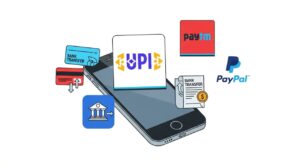
How do I withdraw money—UPI or PayPal?
- India-focused apps: UPI/Bank/Paytm is common (Meesho, CashKaro, Dream11).
- Global survey/freelance apps: PayPal/Payoneer or direct bank. Set these up in your profile and verify IDs early.
Conclusion
Real money earning apps in India can absolutely work—if you pick the right ones, set up payouts correctly, and stay consistent. Start with one skill app (Upwork/Fiverr/Meesho) plus one light earner (CashKaro/Swagbucks). Keep it clean: official apps, proper KYC, no shady fees.
Call to Action
Ready to get started? Pick one app from the list and set up your account right now. If you want a hand, check our guides on freelancing, reselling, and payout setups (links above). Save this page, and come back to tick off each step as you finish.

Thanks for sharing. I read many of your blog posts, cool, your blog is very good.
Your article helped me a lot, is there any more related content? Thanks!